Wednesday, January 14, 2015

You Sparkle & Shine / The Cut Shoppe

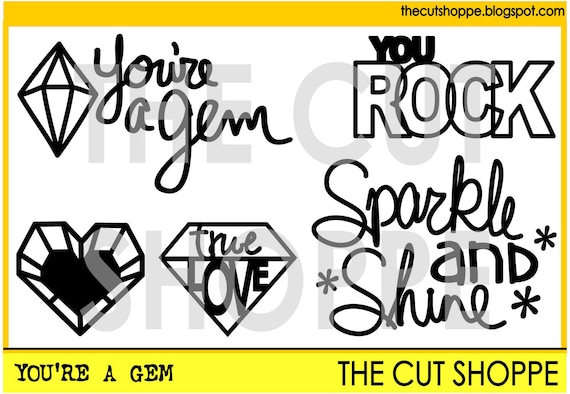
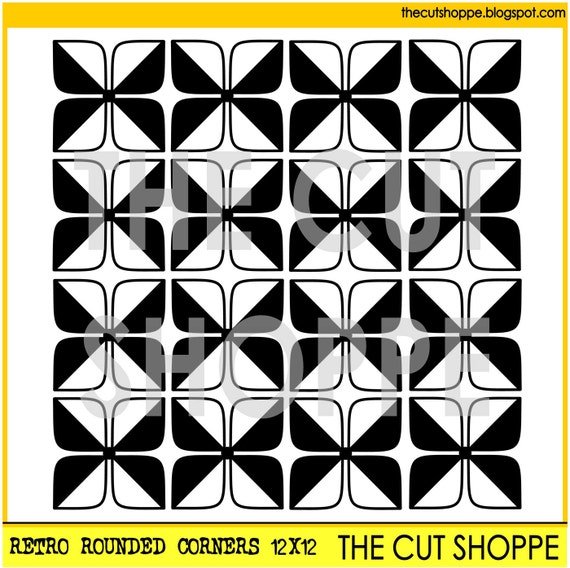
Hey there, friends!  I hope you're doing well today.  I have a layout to share with you...it's my latest design for The Cut Shoppe.  I fell in love with the Retro Rounded Corners cut file as soon as I saw it...I knew it would make the perfect background on a layout.  I did just that, and I used the You're a Gem cut file for part of my title.

Check them out:


Here's my layout.  I used the gorgeous Dear Lizzy Serendipity line from American Crafts, and I just adore these beautiful colors.  I decided to use the pretty pink hombre paper as my background.  The back of it is full of cut-apart pieces, and after I cut it, I noticed how cool it would be to piece the backside of the paper back into the front side.  So I did that and came up with a really colorful background.  I did add some gesso, watercolors and gelatos before adding my layers under the photo.


Here's a close up of the layers.  I added a few stickers, some tangled thread and some rhinestones.  I just had to add some bling since my title contained the word "sparkle."  :D


Here you can see one of the cut files.  I love mixing my alphas, and this cut file was perfect for this layout.


Here's a close up of the background and layers.  I love that this Retro cut file is so versatile and can be used for practically any type of page.  It all just depends on your photo, your color scheme and the collection.


One more shot of all the fun embellishments.  I love all of these colors mixed together...they're all just so pretty.


Thanks so much for stopping by today!  I hope this inspires you to give this fun cut file a shot...it's really a 2-for-1 cut because I still have all of the flower shaped pieces that were cut out.  I'm planning on making another layout with them!

Have a great day :)

Monday, January 12, 2015

CREATE January issue is LIVE!

Happy Monday, friends!  I'm so excited to share the first 2015 issue of Scrapbook Generation's CREATE Digital Magazine is up!  It's 303 pages FULL of amazing inspiration.  This year's team is huge, and there are so many different styles and projects in the issue.  I am thrilled to be part of such an awesome and talented group of scrappers!  I'm honored to have three projects included this month.  I have two layouts and an altered notebook.

You can click HERE to view the entire magazine!


Here's a sneak peek at one of my layouts.  I flipped a few pages into the magazine, and there is a close up of my layout on one of the title pages!  You can easily download the magazine and see the entire layout.  It features die-cuts...something I love! 


I hope you'll check it out...there is a TON of inspiration in there!  The featured manufacturer this month is Jillibean Soup, and I have another layout included using tons of JS products.

Thanks so much for stopping by, and have a GREAT day!

Saturday, January 10, 2015

I Want to Inspire / Chickaniddy Crafts

Hey there!  I hope you're having a great weekend so far.  It was awesome to get to sleep in a bit this morning...I think the kids were just as worn out as we were from the first week back on normal school schedule.  Nothing beats a cozy Saturday sleep-in!

Today I'm sharing my January layout for Chickaniddy Crafts.  With so much going on this month (especially the new CHA releases), the team created just one project this month instead of two.  I decided to focus on one thing (of many) that I want to do in the coming year.  That one thing is INSPIRE.  I am a fitness instructor, and I absolutely adore the members who attend my classes.  They're like extended family.  They always work hard and are soaking wet after every Spin class!  They inspire me to become a better instructor, and I want to inspire them to continue changing their bodies and becoming even more healthy.  So my layout is dedicated to them!

I pulled out the Scrumptious and Jolly Good collections and used lots of the die cut frames to created my overlapped background.


Supplies Used: JG140S02 Sugar Cookies, JG14Eb04 Die Cut Tags, JG140S04 Sweater Weather, JG14EB09 Enamel Stars, JG14EB07 Sentiments, JG14EB03 Journal Tags, JG14EB08 Mini Brads, SC14EB04 Die Cut Tags, SC140S02 Home Sweet Home, SC140S06 Autumn Haze, SC140S01 Fall Banquet, SC140S12 Corn on the Cob, SC14EB03 Journal Tags, SC14EB09 Enamel Stars, SC14EB05 Banners, SC14EB08 Mini Brads, SC14EB02 Alpha Stickers, TG14EB01 Alpha Stickers, Liquitex Gesso, Artist's Loft Watercolors, Faber Castell Gelatos, Black Sharpie Pen, Brother Sewing Machine, Coats Thread, Heidi Swapp Color Shine, cardstock, Silhouette Cameo.

Here's how I created this layout:

1.  I sorted through the Die-Cut Tags from each collection and pulled out the frames.  There are a lot to choose from in different sizes and colors!  I arranged them on my background paper and then adhered them together so I could move the design as a whole around.  I wanted to paint my background first before adhering the frames.


2.  Once I knew where my frames were going, I added lots of white gesso to my striped background.  I took some watercolors and gesso to scatter color around.  I tried to add opposing colors than the colors of the frames so all the colors would be in various places around the page.  Once the background dried, I adhered the frame design and stitched around a few of them.

3.  I added a few paper layers behind my photo and adhered that.  I then pulled out the Journal Tags from both collections.  These were perfect for adding little touches around the frames.  I used some of the Mini Sticker Sentiments and Enamel Stars on them.


4.  I combined my title using alpha stickers from Scrumptious and Twirly Girly and also a cut from the Silhouette Store.  I love mixing my titles up.  I also added my journaling inside two of the frames.


5.  I finished off the layout by adding brads here and there and adding some pink stitching in close zig zags around the page.


This was such a fun layout to create!  The frames made the background unique, and using the Journal Tags as accents really made it all come together.

Thanks for stopping by, and have a great day!

Thursday, January 8, 2015

My Beautiful Friend / My Mind's Eye (more transparent frames!)

Hey there, friends!  Is it frigid where you are today?  Okay, I know I am a Florida girl, so I know if I'm freezing, then the rest of my scrappy friends must be frostbitten by now.  You know the weather is nuts when it's in the 30s in the Sunshine State!  We are not thick skinned enough to deal with this...haha!  BRRRRRRR!!!  Bring back the heat & humidity, please :D

I'm sharing my most recent layout for My Mind's Eye today :)  It went up on the blog HERE yesterday.  My focus was on transparent frames.  We are all anxiously awaiting the new releases (see them HERE!), so I decided to throw it back a little bit and pulled out the Now & Then Milo Collection for this.  The frames I used are from Jubliee Sherbet, and they are silver....and gorgeous.

I chose a few patterned papers to build layers with...a few busy ones, actually.  It's really easy to tone them down with gesso.  I smudged it all around and then used watercolors & gelatos to create some blobs of coordinating colors.  It just has a nice way of fading out the busy patterns.  I layered in two of the frames under my photo and then used one that says "snapshot" at the very top.  That cute camera in the bottom right corner is also part of a frame that I cut out.

(This photo is of me and my best friend Jennifer.  We were about to take off to Las Vegas last March.  I love her to death!)


Lots going on here.  Layers of paper, frames, chipboard, tape, vellum, stickers and stitching.  The "beautiful" part of my title is one of the pretty silver rub-ons from Jubliee.  I just rubbed it on cardstock and cut it out so it could overlap.


I really love the effect of this sticker on top of the photo, and it was perfect for this.  I think I'm addicted to adding tangled thread to my pages...I do it on every one nowadays :)  The "the best of times" chipboard piece is a frame, but I just used it as a layering piece.


I layered a few vellum circles here and there.  I added a button at the top here.  Do you have a Tiny Attacher?  I love that thing!  I've had it for several months, and it's so fun to staple things with it.


Here's the cute camera I cut out from a frame.  It layers so nicely with stickers and buttons.


One last shot of the layered title.  I highly recommend adhering your rub-ons to paper first if you're wanting it to overlap.  There was no way this would've had the same effect if I had tried to rub it right on to the paper & Thickers.  Plus this way it adds depth.


I hope this inspires you to use some transparent frames on your pages.  They are pretty versatile and you can do more than just frame a picture with them.

Thanks so much for stopping by!  Stay warm!

Tuesday, January 6, 2015

Using Transparent Frames as Layers / My Scraps & More

Hey there, friends!  Happy Tuesday.  School started back up yesterday, and I think it was harder to get out of bed this morning!  Why is it so hard getting back into the groove after a vacation?  I'm longing for the weekend already....haha :)

Today I'm sharing a layout I created for last week's Tuesday Trigger Challenge at My Scraps & More.  It was the last one for December, and the monthly theme was Winter/Christmas/Giving.  The challenge was inspired by gifts I love to give at Christmas...framed photos.  The rules were to use frames on a layout and to create some sort of border around the edges.  I created a Christmas page featuring some Crate Paper Transparent Overlay Frames.  I didn't use them in the traditional way, though.  I created a background design and used them as layers.  This is last year's Christmas collection from Crate Paper (Bundled Up).  Although these particular frames are all sold out, you can still find some cute ones in the store from the Oh Darling collection HERE.

This was a pretty simple layout to create.  Once I had my frames where I wanted them, I covered my cardstock with some clear gesso and then used some green and pinkish/reddish sprays to create a watercolor effect background.  I adhered the frames and then my photos.  I added some thread, stitched around the border, added a mixed alpha title and added some chipboard trees, a pre-stitched border at the top with a sticker and brad, and a flair button near the photos.


These frames practically did all the work here... I didn't feel like I needed much patterned paper at all. I added a few embellishments here and there, and that was all it needed.  If you haven't tried adding pop dots under your photos, you definitely should.  You're able to add things under them, and it gives the illusion of dimension.
 

Here you can see the background texture.  I love adding tangled thread...an easy and fun way to add sparkle or color!


These Thickers are the greatest!  I love the look of them...and they're silver!  Get some HERE. I used these small alphas from Elle's Studio.  The "school" was a cream color, but I inked them aqua.  I love altering things to make a perfect match :)


I hope this inspires you to try transparent frames/overlays as a layering and design element.  It's a fun way to change it up, and you don't even need much paper.  

Thanks for stopping by, and have a great day!

Sunday, January 4, 2015

Creative Scrappers #285

Happy Sunday, friends!  It's time for another awesome sketch from Creative Scrappers!  It's definitely a fun one to spark some scrappy mojo for you :)  It's by the super talented Juliana Michaels.  Check it out!


Here's what I created.  I pulled out the September Skies collection from Heidi Swapp and got a little messy.  I love the challenge of starting with a busy background.  These rainbow stripes were my favorite.  I took a piece of vellum and stitched it right in the center.  That immediately fades out a lot of the busy pattern.  After organizing my photo and other paper pieces, I added some gesso right over the paper and vellum.  Now vellum isn't the greatest at accepting water, and I knew it would buckle a bit...but I'm okay with that.  I added a bit of watercolor on and around the vellum.  The gesso really did help a lot.


I love this saying!  It was perfect for this layout about all of my gym friends being back together again after one of my friends moved back home.  I added some navy blue stitching, a few flair buttons (from A Flair for Buttons), some washi tape, a few stickers, and some punched circles.


What better time to use a bicycle flair button than on a layout showing a picture of us after Spin class?  It was meant to be :)  I used acrylic paint to color these wooden arrows.  I just used my finger.  The "Best" part of my title is one of the Color Magic die cuts.  You just rub paint, mist or other kind of color over it, wipe it off and the white shows through.  I used a gelato and it worked perfectly.


Here you can see more stitching and where I added paint.  I used a small star stencil and some orange distress ink in a few places as well.


Now, to win $25 off a $35 or more purchase at SpeigelMom Scraps, all you have to do is create a layout using Sketch 285 and/or 286 and enter them using the inLinkz tool on the Creative Scrappers blog.  The deadline to submit is midnight January 31st EST.

Visit SpeigelMoms - Blog - Facebook - Shop

Also, DT member Jody is having a DT Call for her Shop HERE.

Thanks so much for stopping by!  Have a wonderful day, friends!

Friday, January 2, 2015

Happy New Year! / My Mind's Eye

Happy 2015, friends!  It's hard to believe...2015 just sounds so high tech and futuristic, doesn't it?!  Well, here it is!  That sure didn't take long....

For my very first post of the New Year, I wanted to share a fun and festive layout I created for My Mind's Eye last week.  It went up on the blog HERE on Tuesday.  I wanted to focus on the fun enamel shapes from the Jubliee collection.  I used the Wild Berry range, and it's full of bright colors and geometric patterns as well as paint strips, big stripes, big florals....lots of big and bold shapes. 

When I think of New Year's, I think of midnight and confetti falling.  I have had this cut file from the Silhouette Store for so long, and it was perfect for this!  I cut it out on black cardstock and then used a colorful patterned paper to back it.  I layered several pieces of patterned papers behind my photos.  I used quite a lot of enamel shapes on top of my photos...I tried to create a funky geometric pattern with all of the little triangles.  I used several of the tiny hearts on the sides of my photos.  I also added in some black triangles/arrows under my photos on the pink punched paper and some yellow dots scattered across the background.


Here you can see the geometric shapes closer.  They are so fun and different!  And they were a great element to add to the white space of my photos.


Lots of layers here.  By adding pop dots to my photos, I was able to easily layer some thread and silver cord under them.


I dug into my MME stash and found this silver Happy die cut from the Lost and Found Record It! collection.  You can't have a New Year's layout without some glitter, right?  :D  Those are fabric Thickers at the bottom, and I lightly inked the top and bottom to give them some color and interest.  You can also see the black triangles peeking out from the photo cluster.


I hope you have a wonderful day, a great weekend, and a fabulous New Year!  Thanks so much for stopping by!